Understanding TradingView: A Comprehensive Overview
As the financial markets continue to evolve and become increasingly sophisticated, tools that streamline trading and analysis have become essential for traders and investors alike. TradingView emerges as a powerful platform designed to facilitate comprehensive market analysis and backtesting strategies. This article demystifies TradingView, exploring its functionalities, features, and the significant role it plays in modern trading.
What is TradingView and How Does It Work?
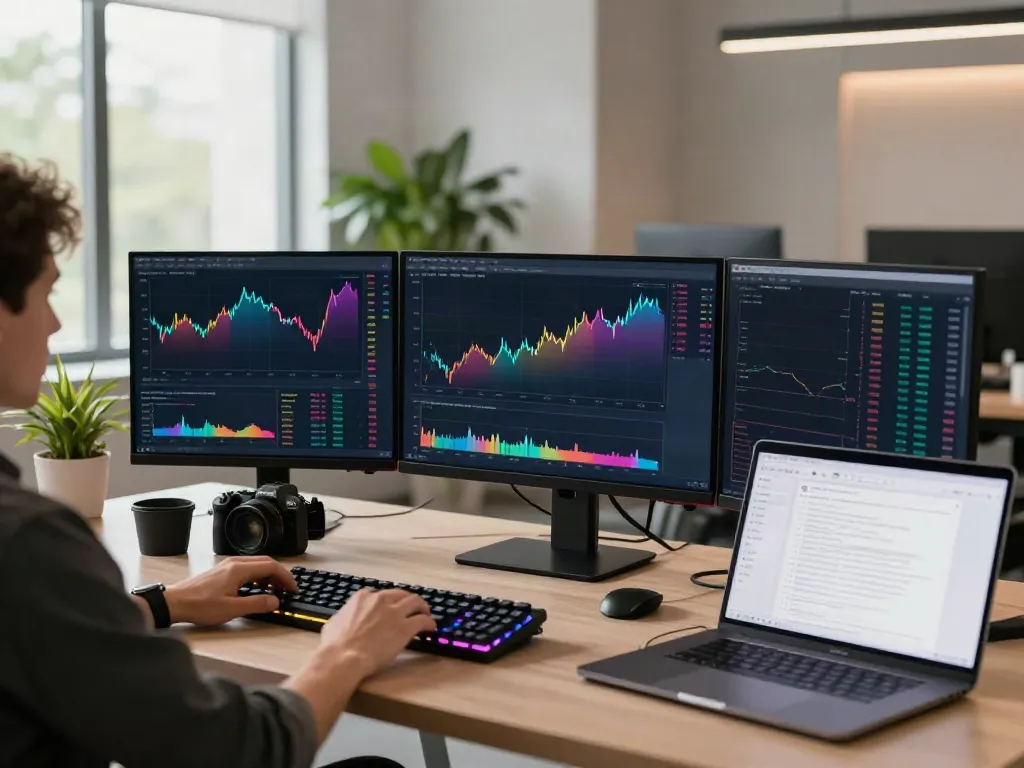
TradingView is a web-based platform that combines financial data with social networking features, allowing users to chart stocks, currencies, crypto, and more in real-time. It provides a single access point for traders to visualize market trends, analyze data, and share insights with a community of traders. The platform's core functionality revolves around its charting capabilities, where users can access dynamic charts reflected in various time frames, from minutes to years.
Key Features of TradingView Explained
Some of the key features that make TradingView stand out include:
- Supercharts: Offers advanced charting tools with various indicator overlays for in-depth analysis.
- Custom Alerts: Users can set up price alerts and indicator alerts to get notifications via email or app.
- Community Ideas: A vibrant community where traders can publish their analysis and strategies for feedback.
- Pine Script: TradingView’s native scripting language allows users to create custom indicators and backtest their trading strategies.
- Broker Integration: Users can connect their TradingView account to numerous brokerages, allowing for seamless trading directly from the platform.
Setting Up Your TradingView Account
Creating Your TradingView Account: Step-by-Step
Getting started with TradingView is straightforward. Here’s how to create your account:
- Visit the TradingView website and click on the "Sign Up" button.
- Choose to register via email or connect using your social media account.
- Fill in the necessary details and create a password.
- Verify your email address through the confirmation link sent to your inbox.
- Log into your new account and complete your profile settings as desired.
Customizing Your Dashboard for Optimal Trading
Once your account is set up, customizing your dashboard is crucial for an efficient trading experience. Users can adjust their layout, select specific markets to follow, and arrange their tools based on convenience. Leveraging the multi-chart feature allows traders to monitor multiple securities simultaneously, making it easier to spot opportunities across various markets.
Integrating TradingView with Broker Accounts
One of the standout features of TradingView is its ability to integrate with various brokerage accounts, enabling users to execute trades directly from the platform. After logging into your TradingView account, navigate to the “Trading Panel” at the bottom of the screen and select your broker. This integration simplifies the transition from analysis to execution, streamlining the entire trading process.
Mastering Chart Analysis with TradingView
Understanding Different Chart Types in TradingView
TradingView offers various chart types, including:
- Line Charts: Useful for observing the overall trend of a security's price over time.
- Candlestick Charts: These provide detailed information on opening, closing, high, and low prices, reflecting traders' sentiment.
- Bar Charts: Similar to candlesticks but display the same data in bar format.
Understanding these charts and their nuances is essential for traders looking to make informed decisions based on price movements.
Using Indicators and Scripts Effectively
TradingView hosts an extensive library of technical indicators, from classic Moving Averages to more complex indicators like MACD and Bollinger Bands. Users can apply these indicators to their charts and customize settings to fit their trading strategies. In addition, with Pine Script, traders have the ability to develop their own indicators, providing a unique approach tailored to their trading style.
Reading and Analyzing Market Trends
Analyzing market trends involves identifying price movements and patterns over time. Traders can look for signals like higher highs and lower lows to determine bullish or bearish market conditions. Utilizing TradingView's heat maps and community trend ideas can also offer insights into popular securities and potential movements.
Strategies for Successful Trading on TradingView
Developing a Trading Strategy with TradingView Tools
Creating a successful trading strategy requires a solid understanding of market dynamics and the effective use of TradingView’s tools. Traders can use features like the “Screener” to filter stocks based on specific criteria (e.g., market cap, performance) and create watchlists for ongoing monitoring. By establishing clear entry and exit strategies, traders can minimize risk while maximizing their opportunities.
Backtesting Your Strategies for Success
Backtesting is a critical component of strategy development. TradingView allows users to simulate their strategies using historical data through its Strategy Tester feature. This tool lets traders understand how their strategies would have performed in the past and make necessary adjustments before deploying them in live markets.
Common Mistakes to Avoid in Trading
Successful trading depends not only on strategy but also on avoiding common pitfalls such as:
- Failing to plan: Without a clear trading plan, traders may make impulsive decisions.
- Overtrading: Trading too frequently can lead to increased transaction costs and emotional burnout.
- Ignoring risk management: Effective stop-loss and take-profit levels are essential for preserving capital during uncertain market conditions.
The Future of Trading with TradingView in 2026
Emerging Trends and Innovations in Trading Technology
As we look toward 2026, several trends are poised to reshape the trading landscape. More traders are embracing algorithmic trading, driven by advancements in artificial intelligence and machine learning. Platforms like TradingView are likely to continue integrating more sophisticated analytical tools to support traders in adapting to these changes.
How TradingView Stays Ahead in the Market
TradingView's commitment to innovation is evident through its regular updates and feature enhancements, ensuring it remains relevant among competitors. By focusing on user experience and providing traders with diverse tools and capabilities, TradingView positions itself as a leader in the market.
Building a Community and Learning from Others
The community aspect of TradingView cannot be overlooked. Engaging with other traders, sharing insights, and discussing strategies can provide invaluable learning opportunities. By participating in community discussions and following experienced traders, users can enhance their understanding and refine their trading techniques.
Is TradingView Free to Use?
While TradingView offers a free tier that includes many essential features, users can also opt for paid plans that unlock advanced functionalities and tools. These subscriptions may enhance the trading experience, offering lower latency, more chart layouts, and additional indicators.
How Can TradingView Enhance My Trading Performance?
TradingView can significantly boost trading performance by providing real-time data, advanced analytical tools, and a platform for community interaction. The ability to backtest strategies and set custom alerts allows traders to approach the market with greater confidence and precision.
What Are the Best Features of TradingView for Beginners?
For beginners, TradingView offers user-friendly charting tools, educational resources from the community, and customizable layouts, making it easier to learn and adapt. The stock screener feature is particularly helpful for new traders looking to identify potential investments quickly.
Can I Trade Directly on TradingView?
Yes, TradingView allows users to trade directly through integrated brokerage accounts, facilitating a more seamless user experience in executing trades. This feature underlines the platform’s commitment to being a comprehensive trading solution.
What Makes TradingView Stand Out Among Competitors?
TradingView's unique blend of powerful charting tools, real-time data access, community engagement, and custom scripting capabilities sets it apart from other trading platforms. Its focus on creating an all-in-one trading environment empowers users to analyze, strategize, and execute all from one interface.